Defaults section under New Documents in the Settings dialog box allows you to assign a default template and volume to all new documents.
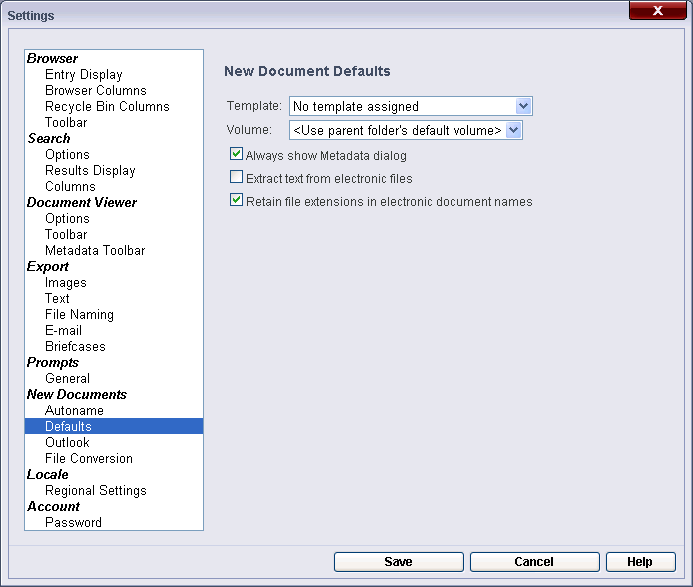
The Defaults section under New Documents in the Settings dialog box allows you to assign a default template and volume to all new documents.
Template: The default template to be assigned to all new documents.
Volume: The default volume where all new documents will be stored.
Always show Metadata dialog: The New Document dialog box will appear when a new document is created. This dialog box allows you to configure the name, location, volume, field data, and tags to be assigned to the document.
Extract text from electronic files: If text will be generated by default for new documents. Text can be retrieved directly from certain types of electronic files.
Retain file extensions in electronic document names: If an electronic document's file extension will be included as part of its name when imported into the repository.
Note: WebDAV can only open an electronic document whose file extension is included as part of its name. Checking the Retain file extensions in electronic document names box will automatically append the file extensions to the document name upon import.
| For further help or feedback, please see the Laserfiche Support Site. | © 2009 Laserfiche. All Rights Reserved. |